
An image reply in chat is a media-anchored message thread: a reply linked to a specific image rather than floating loose in the conversation. The recommended build is a single pattern: pre-upload the file to generate an asset_id, then send a message that references that asset plus a reply_to or thread_id. Watch three trade-offs as you build it: payload size, upload latency, and privacy, which is why signed URLs and encryption belong in the design from day one.
TL;DR:
- Pre-upload images to obtain an
asset_idand thumbnail URL before sending the message to reduce payload size and avoid timeout issues.- Always validate file size and type prior to upload, and implement progress indicators and retry options to handle flaky networks effectively.
- Use signed, expiring URLs for privacy-sensitive media and ensure HTTPS hosting to prevent broken images and data leaks.
- Maintain a dual display with small inline thumbnails and full-resolution images on tap, and include alt text for accessibility and fallback.
- Implement a consent and moderation framework that enforces safe, private sharing by integrating client-side encryption, pre-upload checks, and server-side moderation.
Table of Contents
- What Makes an Image Reply Different From a Regular Message?
- Pre-Upload, Base64, or Direct URL: Which Upload Pattern Fits?
- What Does a Reliable Send Flow Look Like?
- What UX and Privacy Rules Keep Image Replies From Backfiring?
- How Does a Privacy-First AI Companion Handle Image Replies?
- Where Mistrix Fits if You Want This Built In
- Where to Read the Underlying Docs
- Sources
- FAQ
What Makes an Image Reply Different From a Regular Message?
An image reply is not just a picture dropped into a chat feed. It is a message that carries a pointer back to the exact image it responds to, so the client can render both the original and the reply as a connected pair instead of two unrelated bubbles.
Chat platforms typically split message types into three buckets: text, media (images, video, audio), and files (PDFs, documents). Image messages get special treatment because clients generate thumbnails and inline previews for them; generic files just show an icon and a filename. Dyte’s SDK, for example, exposes a dedicated sendImageMessage method precisely because image content needs preview handling that a generic file send does not.
Threading depends on a small set of fields that show up across most messaging APIs:
parent_id: points to the specific message (usually an image) being replied to.root_id: anchors the whole thread back to its original message, useful when replies nest several layers deep.reply_in_threadorreplyTo: a flag or ID pair many APIs use interchangeably; LarkSuite’s message docs show this pattern clearly.
Rendering splits two ways: an inline thumbnail reply sits directly under the original image in the main feed, while a full media-thread view opens a separate panel for longer reply chains. Google Messages is currently prototyping exactly this behavior, letting users comment directly on an image and view a running thread of reactions anchored to that photo, which signals where the rest of the industry is headed.
Pre-Upload, Base64, or Direct URL: Which Upload Pattern Fits?
The upload strategy you choose determines whether your chat feels instant or sluggish, and it is usually the first architectural decision that bites teams late in development.
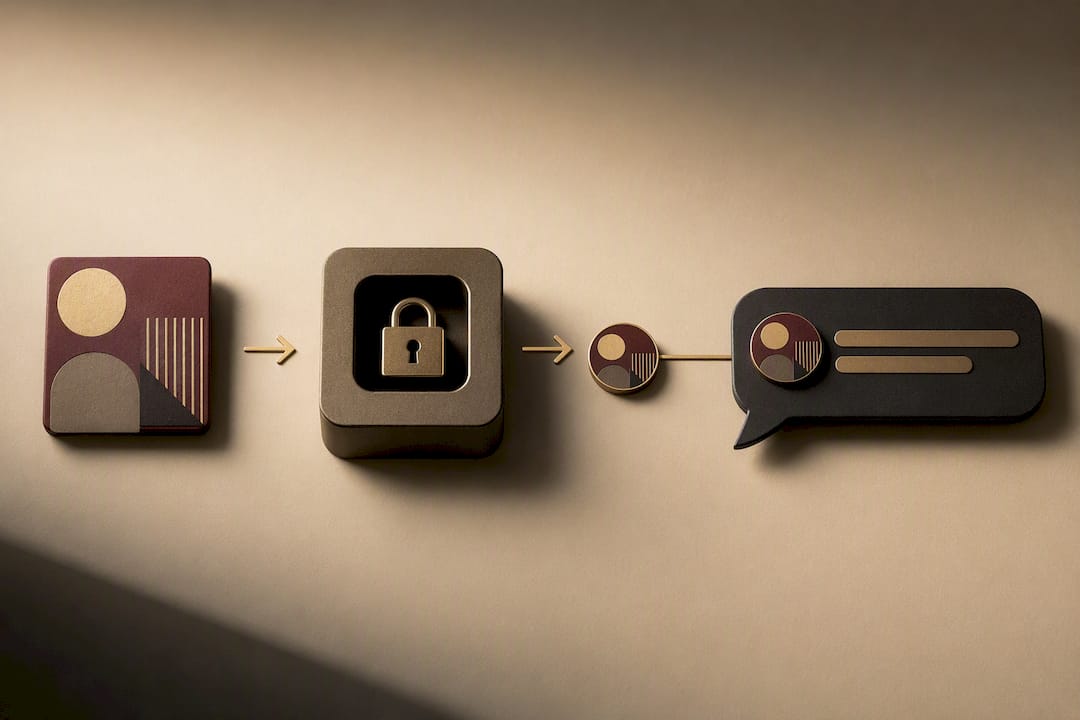
Pre-uploading is the safer default. The client uploads the image to a storage endpoint first, gets back an asset_id or CDN URL, and only then sends the actual chat message referencing that ID. This keeps your JSON message payloads small and avoids the timeout risk that comes from stuffing raw image bytes into a single request. Practitioner references on Lark’s IM message reply patterns recommend this exact separation: generate the asset first, reference it second.
Base64 inline encoding still shows up in some SDKs, but it inflates payload size by roughly a third and eats into request size limits fast. Reserve it for small thumbnails or offline-first apps where a separate upload round trip is impractical. For anything user-generated at normal photo resolution, send by URL instead. WSAPI’s image message endpoint accepts both a hosted URL and base64 data, which is a useful reference for seeing how a production API handles the fork.
Here is the sequence that holds up in practice:
- Upload the raw file to a storage or CDN endpoint.
- Receive an
asset_idand a separatethumb_urlfor the compressed preview. - Send the chat message with
mimeType,caption,replyTo, and the asset reference. - Render the thumbnail immediately; fetch full resolution only when the user taps or zooms.
Keep the thumbnail on its own field rather than resizing on the client. A dedicated thumb_url lets the server generate a consistent, compressed preview once instead of every client doing its own resize work. Add a viewOnce flag if your product supports expiring images, and always attach a uuid to the send request so retries don’t create duplicate messages.
For privacy-sensitive media, never issue a permanent public URL. Sign the URL with an expiration window and require a server-side check before reissuing access. Stream’s file upload documentation walks through this exact signed-URL and refresh-token pattern for chat attachments.
Pro Tip: Generate the thumbnail server-side at upload time, not on send. If you wait until the message is sent to compress the image, you’ve already paid the latency cost the pre-upload pattern was supposed to avoid.
What Does a Reliable Send Flow Look Like?
A working image reply feature needs more than an API call. It needs a checklist that survives flaky networks, duplicate taps, and expired links.
Run through this sequence for every send:
- Validate file type and size on the client before starting the upload.
- Post to the upload endpoint and wait for a confirmed
asset_idor storage URL. - Attach that asset reference, plus
parent_idorreplyTo, to the outgoing message payload. - Render the thumbnail and thread position in the UI as soon as the send succeeds.
- Log a
uuidper attempt so a retried request doesn’t create a second message.
Three edge cases cause most of the support tickets in this space. First, uploads that stall with no progress indicator leave users guessing whether anything happened, so always wire up an onUploadProgress callback, which Stream’s SDK documentation treats as a baseline requirement rather than a nice-to-have. Second, signed URLs expire, and a client that caches an old link will show a broken image until you implement a refresh flow that re-signs the URL on request. Third, retries on a shaky connection can fire the same upload twice unless the uuid dedupe check catches it server-side.
On the integration side, confirm your storage bucket serves images over HTTPS. Google Chat’s card widget requirements specifically call out HTTPS hosting and PNG/JPG formatting as prerequisites for rendering images in cards, and that same constraint applies broadly across chat platforms. Enforce MIME type validation on upload, cap file size before it hits your CDN, and give your moderation pipeline a webhook hook at the point of upload rather than after the message has already reached other users.
What UX and Privacy Rules Keep Image Replies From Backfiring?
Get the UX wrong and users assume the upload failed even when it didn’t. Get privacy wrong and you’ve exposed content nobody consented to share.
Non-negotiables for the interface:
- Show per-file upload progress and let the user cancel or retry without losing their draft caption.
- Never fail silently. Stream’s guidance points out that missing progress feedback is one of the most common sources of chat upload frustration, and a stuck spinner with no explanation reads as broken software.
- Offer view-once or time-limited viewing for sensitive images, paired with signed URLs so access checks happen server-side, not just in the client.
- Run a content scan at upload time, not after the image has already reached the recipient.
- Give users a clear reporting and takedown path for anything shared without consent.
Design the display layer in two tiers: a compressed thumbnail inline in the thread, and a full-resolution modal that opens on tap. Keep thumbnail file sizes small since Google Chat’s own card image guidance recommends constraining image size specifically to protect load performance. Add alt text to every image object, both for screen readers and as a fallback when an image fails to load.
None of this is optional polish. Consent has to be captured before an image ever leaves the device, and moderation has to run before delivery, not after a complaint arrives.
How Does a Privacy-First AI Companion Handle Image Replies?
Some adult AI companion platforms address the image-reply problem by running users through onboarding that includes a level assessment, fetish-interest mapping, and mandatory hard limits before any session begins, so consent boundaries exist as structured data before a single image gets generated or shared.
That consent data pairs with client-side encryption: sensitive content is encrypted with a PIN the user holds and the server never sees, so the platform is structurally unable to read personal images even if it wanted to. In practice, this looks like the same pattern developers should follow anywhere: expiring, signed asset links instead of permanent public URLs, moderation checks that sit at the upload boundary, and a chat layer that treats every image reply as something anchored to explicit, pre-declared limits rather than assumed consent.
Where Mistrix Fits if You Want This Built In
If you are evaluating whether to build image-reply infrastructure yourself or adopt a platform that already handles it, Mistrix gives you a working reference for what production-grade, privacy-first media handling looks like inside an adult AI companion product. The built-in AI Studio generates custom images and short clips directly inside a session, session photo uploads run through the same consent framework established during onboarding, and every sensitive exchange sits behind client-side PIN encryption the server never touches. You get the media-anchored reply experience described above, minus the work of engineering the consent layer and encryption model from scratch. If you want to see how personalized image generation and session-based chat come together around a specific persona, the AI Domina lineup is the fastest way to explore it firsthand.
Where to Read the Underlying Docs
For hands-on implementation, Stream’s file upload documentation covers upload progress and signed URLs in depth, while WSAPI’s image message reference shows a full parameter list for mimeType, caption, and replyTo. Google Chat’s card image guidance covers hosting and size constraints, and Android Authority’s reporting on Google Messages shows where threaded image replies are headed next.
Sources
- Google Messages works on letting you reply to images - Android Authority
- Image and File Uploads - JavaScript Chat Messaging Docs
- Send an image message - WSAPI Chat docs
- Add text and image card dialog - Google Chat developer docs
FAQ
How Do I Reply With an Image in Chat?
Upload the image to get an asset reference, then send a message that includes that asset ID along with a replyTo or parent_id field pointing at the original message you’re responding to.
How Do I Put an Image Into a Chat Message?
Most chat APIs accept either a hosted image URL or base64-encoded data in the message payload; a hosted URL generated through pre-upload is the more reliable choice for anything beyond a small thumbnail.
How Do I Respond to a Photo Someone Sent Me?
On the technical side, your reply message needs to carry the original photo’s message ID so the client can render the two as a connected thread instead of two separate, unlinked messages.
What’s a Good Way to Respond to a Picture in a Personal Chat?
Outside the technical layer, a short, specific reaction tied to something real in the photo reads better than a generic compliment; platforms like Mistrix build entire session flows around personalized, context-aware responses rather than canned replies.
Why Do Some Image Replies Fail to Load?
The most common cause is an expired signed URL; the fix is a refresh endpoint that re-signs access whenever an authorized client requests the image again.