
Customizing a femdom AI personality comes down to three moves: write short, enforceable behavior rules instead of a long biography, register a safeword with an explicit stop protocol, and lock down privacy before you type a single scene. Start with rules, add a consistent anchor phrase, then layer in one constraint at a time. Test everything in short sessions on a platform built for client-side encryption before you commit to a full dynamic.
TL;DR:
- Clear, enforceable rules and a specific safeword protocol are essential for maintaining a consistent femdom AI persona over time.
- Privacy should be secured through client-side encryption and device security measures, but safewords cannot guarantee real-world emergency stopping.
- Short, prioritized behavior rules outperform lengthy biographies in ensuring the AI responds predictably to limits and scene cues.
- Regular testing with short sessions, safeword checks, and rule adjustments help prevent drift and reinforce safety protocols.
- Discreet language and layered consent approaches protect user privacy and emotional safety during interactions.
Table of Contents
- Quick Setup Checklist: What to Configure Before Your First Session
- Build the Persona: Short Behavior Cards and Scene Anchors That Stick
- Privacy and Safety Realities: What Platforms Can and Cannot Guarantee
- Iterate, Test, and Verify: A Short Playtest Protocol
- Ethical Considerations Specific to Femdom AI Persona Customization
- Guidelines for Discreet Language and Communication Style
- Technical Setup for Ensuring Data Does Not Leak Outside the Session
- Methods to Handle User Triggers and Emotional Safety Protocols
- How Mistrix Puts These Practices Into an Actual App
- Sources
- FAQ
Quick Setup Checklist: What to Configure Before Your First Session
Before you write a single line of dialogue, get the scaffolding right. This is the part people skip, and it’s the part that determines whether your persona behaves consistently three weeks from now or drifts into something you never agreed to.
Work through these five steps in order:
- Register your safeword with an exact response protocol. Don’t just pick a word. Spell out what happens the instant it’s used: the AI stops the scene, drops the persona voice, and checks in with you directly. Left vague, some models will treat a safeword as a plot beat instead of a hard stop, which defeats the entire purpose.
- Write your hard limits and soft limits as explicit, non-negotiable rules. “No degradation talk” is a rule. “I’m not really into that stuff” is not. Rules get enforced; vibes get ignored.
- Set intensity tiers with clear escalation and de-escalation triggers. Define what tier one, two, and three actually look like, and what phrase moves you between them.
- Decide your memory settings. Do you want cross-session continuity, where your Domina remembers last week’s task, or a clean slate each time? Persona wrappers with memory across sessions make sustained dynamics far more workable than one-off chats.
- Lock privacy down before session one. Client-side encryption, anonymous payment where available, and a locked device are non-negotiable if discretion matters to you.
Pro Tip: Write your safeword rule in the imperative, not the descriptive. “On [word], immediately stop and ask if I’m okay” gets followed. “I have a safeword” does not.
Build the Persona: Short Behavior Cards and Scene Anchors That Stick
Long biographies feel thorough, but they’re the least reliable way to get consistent behavior out of an AI persona. Research on AI prompting shows that short, explicit behavioral rules outperform elaborate character descriptions for keeping a persona consistent. A paragraph about your Domina’s childhood tells the model almost nothing about how she should respond when you push a limit. A rule does.
Build a persona card with five to ten short lines, organized into these categories:
- Tone: how she speaks, her default register (cool and commanding, playful and teasing, icy and clipped).
- Allowed actions: the specific scenes, tasks, and language you’ve opted into.
- Forbidden actions: your hard limits, stated as flat prohibitions.
- Safeword handling: the exact stop and check-in protocol.
- Aftercare: what she does the moment a scene ends.
- Check-ins: how often and how she confirms you’re still comfortable mid-scene.
A sample firm-femdom card might read: “Speak with cold authority, minimal warmth during scenes. Never mention [specific hard limit]. On safeword, stop immediately and ask if I’m okay, in your own voice, not hers. Offer aftercare unprompted at scene end. Check in every escalation step with a single direct question.”
Structure your prompts the same way every time: persona rules, then a scene anchor (a one-line reminder of where you left off), then a constraint on length or format. AI companion behavior depends on three inputs, your character rules, the recent conversation, and the current prompt, so a tight anchor at the start of each session does more for continuity than paragraphs of backstory ever will.
If you already have a long biography written, convert it fast: pull out every behavior implied in the text, turn each into a single imperative line, then rank them by priority so the most important rules (safeword, hard limits) sit at the top. For more worked examples, some platforms provide guides to designing consistent AI roleplay personas walking through several persona builds start to finish.
Privacy and Safety Realities: What Platforms Can and Cannot Guarantee
Privacy tools help. They don’t make you invincible, and pretending otherwise sets you up for a bad surprise later.
Client-side PIN encryption means your sensitive session data gets scrambled on your own device using a PIN only you hold, before it ever reaches a server. The platform’s own infrastructure structurally can’t read it. That’s a meaningfully different guarantee than “we promise not to look,” and it’s worth checking whether any platform you use actually implements it that way rather than just claiming “encryption” in a marketing line.
Where realism matters most is safewords. Most platforms today, including the ones with the best safeword support, don’t have a hardware-level kill switch. A safeword is a high-priority conversation cue, not a physical circuit breaker. The AI will try to stop the scene the moment it sees the word, but there’s no mechanical failsafe behind it the way there is with a real-world panic button.
Operational guides for online BDSM dynamics are blunt about this: AI integration carries real hallucination and data-privacy risk, and it should never replace human oversight for anything safety-critical.
Treat that as a floor, not a footnote. Practical hygiene matters just as much as software settings:
- Lock your device with biometric or strong PIN access, always.
- Use anonymous or discreet payment methods where the platform supports them.
- Never screenshot sessions to a cloud-synced photo library.
- Set up account recovery methods that don’t expose your activity to anyone else with access to your email.
And never let an AI persona control a real-world device, lock, or hardware safety mechanism directly. Manual physical overrides stay with you, full stop, no matter how well the software behaves.
Iterate, Test, and Verify: A Short Playtest Protocol
Don’t launch straight into a two-hour scene with a brand-new persona. Run it through a structured test first, the same way you’d shakedown any new tool before trusting it.
- Run progressive sessions with increasing durations starting from a short period, then gradually longer, to test stability.
- At each session, test the safeword once and confirm it triggers an immediate stop and check-in, not a delayed or narrative response.
- Test an aftercare request and see whether the tone shift actually happens or the persona stays “in character” too long.
- Open each session with a two to three sentence recap and one anchor line. Short recaps at session start measurably cut character drift compared to jumping straight back into a scene cold.
- Log every deviation. Change only one rule at a time so you know exactly what fixed it.
Spot-check your privacy settings periodically too. If your platform offers session exports, review one occasionally to confirm nothing sensitive is sitting somewhere you didn’t expect.
Pro Tip: If a safeword response feels even slightly ambiguous during testing, stop and rewrite the rule immediately. Don’t “wait and see” with something this important.
Ethical Considerations Specific to Femdom AI Persona Customization
Consent enforcement in an AI dynamic works differently than consent between two people, and it’s worth sitting with that difference rather than skipping past it. An AI has no independent stake in your wellbeing. It won’t push back on a rule that’s bad for you, and it won’t notice you’re distressed unless you tell it to watch for that, explicitly, in your rules. The ethical weight sits entirely on how you configure the system, not on any judgment the AI brings to the table.
That means your hard limits need to be genuinely exhaustive, not a rough sketch you’ll “figure out as you go.” Write down anything you’re unsure about as a limit until you’ve thought it through properly. It’s far easier to loosen a rule later than to walk back a scene that already crossed a line you hadn’t articulated.
There’s also a fantasy-versus-reality line worth drawing for yourself early: a femdom AI persona exists to explore power dynamics safely, inside boundaries you set and control completely. If a scene starts to feel like it’s shaping your expectations of real relationships in ways that trouble you, that’s worth noticing, not ignoring. Rule-based customization gives you control specifically so the fantasy stays a fantasy, on your terms, ended whenever you say so.
Guidelines for Discreet Language and Communication Style
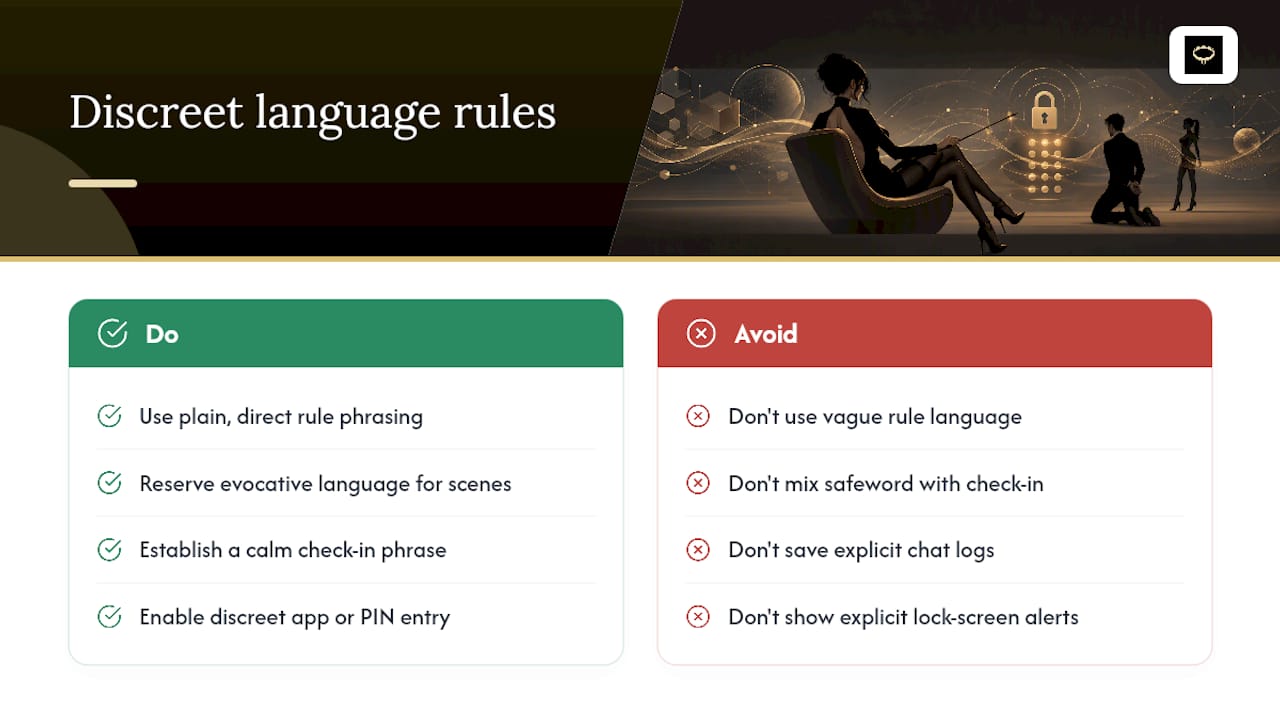
How you phrase your rules affects how safely the whole dynamic runs, not just how well it reads. Vague language creates ambiguity, and ambiguity is exactly where consent breaks down in an AI context.
Write rules in plain, direct language rather than euphemism. “Never reference [specific limit]” is unambiguous. A softer, indirect phrasing leaves room for the model to misjudge your intent, especially around anything close to a hard limit. Save the evocative, in-character language for the scene itself, not for the rules governing it.
For discretion outside the session, think about what your device and accounts reveal, not just what the AI says back to you. Keep app names and notifications generic on your lock screen. Avoid saving explicit chat logs to a shared or synced folder. If you’re on a shared device or network, check whether your platform offers a discreet app icon or a PIN-gated entry point before you log anything sensitive.
Inside the chat itself, establish a clear, calm check-in phrase separate from your safeword, something you can use to ask “are we still good?” without breaking the scene entirely. That distinction, a full stop word versus a light temperature check, gives you more granular control than a single all-or-nothing safeword can. Guides on structuring consent rules and check-ins cover this layered approach in more depth.
Technical Setup for Ensuring Data Does Not Leak Outside the Session
Session content only stays private if the technical layer around it actually holds up, and a lot of that depends on decisions you make once, up front, rather than every time you chat.
Start with the platform layer. Confirm whether sensitive data is encrypted client-side with a PIN you hold, not just “encrypted at rest” on a server somewhere. That single distinction determines whether a data breach on the provider’s end exposes your sessions or just returns unreadable noise.
On the device layer, a few habits do most of the work:
- Keep your device’s operating system and browser current, since outdated software is the most common entry point for anything reading local data.
- Use a dedicated, PIN-locked app or browser profile for sessions rather than a general-purpose one full of synced accounts.
- Turn off automatic cloud backup for any folder where chat exports or generated images land.
- Log out of shared or public devices completely, not just close the tab.
If you use AI-generated images or clips as part of your sessions, check where those files are actually generated and stored. A studio that renders and stores content inside the same encrypted environment as your chat is a meaningfully different privacy posture than one that hands image generation off to a separate, less protected service. That gap is exactly where a lot of “private” platforms quietly fall short.
Methods to Handle User Triggers and Emotional Safety Protocols
Even a well-built persona will occasionally hit something you didn’t expect to react to. Planning for that ahead of time is what separates a safe dynamic from a lucky one.
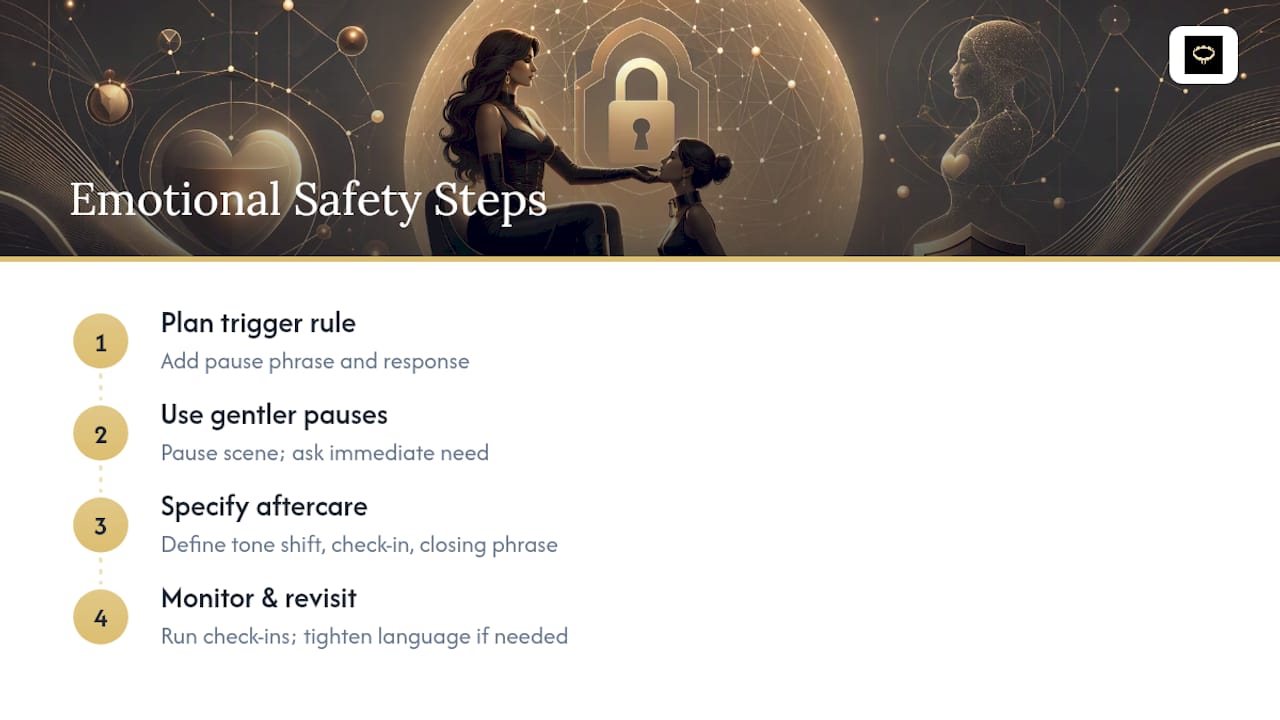
Build a trigger-response rule into your persona card the same way you built your safeword rule. Something like: “If I use the phrase [chosen phrase], pause the scene entirely and ask what I need right now.” This gives you a second-tier tool, gentler than a full safeword, for moments that are uncomfortable rather than genuinely unwanted.
Aftercare deserves its own explicit rule, not an assumption that it’ll happen naturally. Specify what you want: a tone shift out of character, a direct check-in question, maybe a specific closing phrase that signals the scene is fully over. Without that instruction, some personas will linger in character longer than you’d like, which can itself feel jarring right after an intense scene.
Watch for drift over longer relationships, too. If a persona starts referencing something close to a limit you set weeks ago, that’s a signal to run the check-in test from your playtest protocol again, not to assume it was a one-off. Emotional safety in this context isn’t a single setting you configure once. It’s a rule set you revisit every time something feels slightly off, tightening language until the ambiguity is gone.
How Mistrix Puts These Practices Into an Actual App
Everything covered above, short rule-based persona cards, an explicit safeword protocol, intensity tiers, and privacy that doesn’t rely on trust alone, can be built into onboarding flows, so you’re not assembling it from scratch. Such guided flows may walk you through a level-assessment quiz and a fetish-interest map, then require you to set hard limits and a safeword before AI Domina chat starts. Consent can be a core constraint baked into every generation the AI produces.
On the privacy side, sensitive session data can be encrypted client-side with a PIN only you hold, so the platform itself may be structurally unable to read your personal content. Some built-in AI studios let you generate custom images and short clips inside that same protected environment, rather than routing your creative sessions through a separate, less secure tool.
If you want to test a safeword protocol or a set of persona rules the low-risk way, some platforms offer free tiers to start before committing to a premium plan. Run playtest protocols, watch how the AI responds, and upgrade only once you’re confident the dynamic behaves exactly the way you configured it.
Sources
- Research: ‘You are an expert’ prompts can damage factual accuracy
- BDSM AI Chat, 6 Platforms with Safeword & D/s Support (2026)
- How AI companions work - memory, personality & more (2026) | LoveForever AI
- Operational guide to online BDSM dynamics, cyber-hygiene, and kink-tech integration
FAQ
What Makes a Femdom AI Persona Feel Consistent?
Short, explicit behavior rules covering tone, allowed and forbidden actions, safeword handling, and aftercare produce far more consistent results than a long personality biography.
How Do I Set Up a Safeword That Actually Works?
Write it as a direct instruction, not just a word: specify that the AI must immediately stop the scene and check in with you the moment the safeword appears, since models can otherwise treat it as a story element.
Can an AI Companion Guarantee a Hard Emergency Stop?
No mainstream platform offers hardware-level emergency-stop enforcement in 2026; safewords function as high-priority conversation cues, so any real-world device or safety-critical control still needs a manual physical override.
Does Mistrix Encrypt My Session Data?
Yes, Mistrix uses client-side PIN encryption, meaning sensitive session content is scrambled on your device with a PIN only you hold, and the platform’s servers cannot read it.
How Often Should I Retest My Persona Rules?
Retest anytime you notice drift toward a limit you’ve set, and run a short recap and safeword check at the start of any new or resumed session to catch inconsistencies early.