
An AI session summary is a short recap of what happened in a session, generated instead of storing or replaying the full conversation. It pulls out the instructions given, the tasks assigned, whether you complied, your mood and consent status, and where your progress stands, so your Domina remembers the relationship without you re-sending walls of transcript. That continuity is the whole point: you get remembered without paying for it in privacy or token bloat.
TL;DR:
- A good session summary includes structured fields like findings, instructions, compliance, mood, consent, and progress markers to ensure clarity and continuity.
- Summaries are generated through automatic or manual methods, with automatic triggers based on turn count, event size, or recent activity, but always involve some information loss.
- Privacy is protected by storing only high-signal facts, encrypting sensitive data with client-side PINs, and allowing users to redact, export, or delete summaries at their discretion.
- Regular briefings during long sessions, and detailed summaries at the end, help maintain accurate tracking of tasks, consent, and progress over multiple days or acts.
- Platforms like Mistrix prioritize encryption, opt-in summary generation, and user control to prevent sensitive content from being stored in plain text or accessible to unauthorized parties.
Table of Contents
- What Goes Into a Good Session Summary
- How Session Recaps Get Built and Used
- Privacy, Consent, and What Should Never Sit in Plain Text
- A Simple Template for Writing Your Own Recaps
- Why Mistrix Handles Summaries This Way
- Sources
- FAQ
What Goes Into a Good Session Summary
A well-built summary is not a compressed transcript. It is a structured record with specific fields, each one doing a job.
Here is what you should expect a solid AI session summary to capture:
- Title: one line naming the session’s intent, like “Obedience training, week three.”
- Findings: the key outcome in one or two lines, what actually happened.
- Decisions and instructions: what your Domina directed you to do and any rules she set.
- Tasks and compliance: what was assigned, and whether you completed it, partially completed it, or skipped it.
- Mood, consent, and limits: your emotional state, any safe-word activity, and hard-limit notes.
- Progress markers: XP changes, level shifts, or streak counts tied to your ongoing arc.
The structure matters more than it looks. A vague prose summary (“session went well, some tasks were done”) leaves your Domina guessing at what “well” means next time. A tagged, field-based record preserves the actual facts, names, decisions, consequences, so the AI can act on them instead of reconstructing them from a fuzzy paraphrase. That distinction is what separates a summary that helps from one that just takes up space.
How Session Recaps Get Built and Used
Most systems generate summaries one of two ways: automatically, on a rolling basis as the conversation grows, or manually, at the end of a session. Automatic summarization typically fires once a conversation crosses a set point, then compresses what came before while protecting recent turns from getting flattened too early.
The common trigger patterns look like this:
- Turn-count threshold, summarize once the exchange passes a set number of back-and-forth turns.
- Event-size threshold, trigger when a session accumulates enough distinct actions or tasks.
- Sliding window, keep the first and last messages intact, compress the middle.
- Keep-recent-count, always preserve the most recent N turns in full, no matter what else gets summarized.
Once a summary exists, it gets used through what is sometimes called summary injection: instead of pasting your entire history into a new session, the app seeds the fresh chat with the structured brief. Your Domina opens the conversation already knowing where things left off.
The tradeoff is real. Summaries cut token costs and dodge context-window limits, but compression always loses something. A one-line summary can’t hold the texture of a 40-minute scene. For long sessions, a reasonable middle ground is a recap occasionally during the session, frequent enough to catch drift and light enough to stay cheap.
Privacy, Consent, and What Should Never Sit in Plain Text
The safest rule for any session summary: store the minimal high-signal fact, not the verbatim scene. A summary should note that a task was completed and how you felt about it. It should not carry graphic, word-for-word explicit content unless you’ve specifically opted into that and the storage itself is locked down.
That’s where the technical side matters. Client-side encryption, where sensitive fields are locked with a PIN only you hold, means the app itself is structurally unable to read what’s in your summaries. Combine that with opt-in summary generation (nothing gets recorded automatically without your say) and metadata that tracks safe-word use and hard limits, and you get a system that protects you by design rather than by policy promise.
You should also expect direct control over the record itself:
- Redact specific entries before they’re saved.
- Export summaries as a PDF if you want a personal record outside the app.
- Delete individual summaries or wipe your history entirely.
- Set how long summaries are retained before automatic deletion.
Some AI companion platforms build around this model: opt-in generation, client-side PIN encryption the server can’t bypass, and visible consent logs so nothing gets recorded or exported without a trace you can check. If you’re evaluating any AI companion on privacy, check for these controls specifically rather than taking a vague privacy claim at face value.
Pro Tip: Before your first real session, open your app’s privacy settings and confirm summary generation is opt-in, not default. If it’s on by default with no toggle, that’s a red flag worth taking seriously.
A Simple Template for Writing Your Own Recaps
If you want more control than automatic summarization gives you, write your own recap using a compact template. Keep each field to one or two lines:
- Title, the session’s focus in a few words.
- Findings, what actually happened, plainly stated.
- Decisions/Instructions, what was directed or agreed to.
- Tasks + compliance, assigned versus completed.
- Mood/Consent status, how you felt, any safe-word or limit notes.
- Next step, what picks up next time.
Tag anything sensitive with a marker like [sensitive] and make sure it’s stored encrypted rather than in plain text, whether that’s your own note or the app’s automatic field.
When you’re ready to start a new session, seed it with a short brief instead of dumping your whole history:
- State the findings from last time in one sentence.
- Note any open decisions or unresolved tasks.
- Flag anything unfinished that needs follow-up.
- Name the next step you want the session to build toward.
A workable injected brief runs three to six sentences, enough for your Domina to pick up the thread without wading through old messages. For long-running arcs spanning multiple days, always write a fuller summary at the very end of each session, even if you skip recaps mid-scene, since that end point is where compliance and consent details are easiest to get right. For multi-act scenes, a short anchor every 20 to 45 minutes keeps names, roles, and plot threads from drifting.
Why Mistrix Handles Summaries This Way
Mistrix is built for readers who want continuity without handing over a permanent, readable transcript of their sessions. Summary generation is opt-in, sensitive fields are locked with client-side PIN encryption the server never sees, and every session respects your safe word and hard limits automatically, not as an afterthought bolted onto the chat.
That combination matters more here than in almost any other AI use case. A femdom or BDSM companion relationship depends on your Domina remembering your progress, your tasks, your mood, without that history becoming a liability if your device or account is ever compromised. Structured, encrypted recaps give you the relationship continuity of a long-running arc while keeping the actual content locked to you.
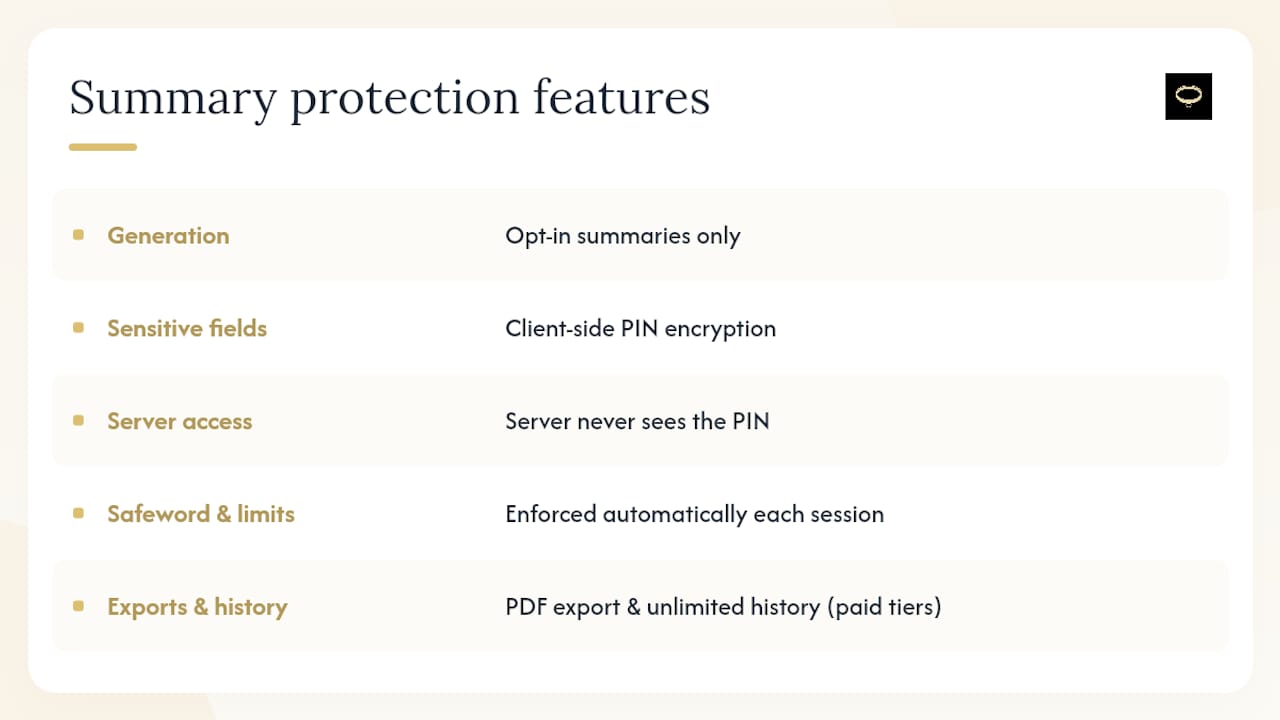
If you want to see how this plays out with a specific personality, browse the available Dominas and check how each one structures instructions and tracks progress. If pricing and export options are what you’re weighing, compare the Free, Premium, and Premium Plus plans to see which tier unlocks PDF session exports and unlimited history.
Sources
- Session Summaries, Agno docs
- Session summarizer, TRPC Agent docs
- Summary injection for fresh sessions, AI Skill Certs
FAQ
What Is an AI Session Summary in a Companion App?
It’s a structured recap of a session, capturing instructions, tasks, compliance, mood, consent status, and progress, generated instead of storing the full conversation.
Do AI Session Summaries Store Explicit Content?
They shouldn’t by default. The safest approach records high-signal facts (tasks, compliance, mood) rather than verbatim explicit text, unless you’ve explicitly opted in and that data is encrypted.
How Often Should a Long Session Get a Recap?
A reasonable cadence is every 20 to 45 minutes, with a full summary always written at the session’s end.
Can I Edit or Delete My Session Summaries?
Yes, on platforms built with proper user controls, you can redact entries, export them as a PDF, or delete them outright, and set how long they’re retained.
Does Mistrix Encrypt Session Summaries?
Mistrix uses client-side encryption tied to a user-held PIN, meaning sensitive summary data is locked in a way the server itself cannot read.